AI has reshaped programming, electronics, and many other fields, including customer support. For any brand that cares about customer experience (CX), AI is no longer a shiny extra. It’s becoming a core part of how companies serve, support, and retain customers.
Whether you run a digital marketing agency, manage social media for clients, or grow an e-commerce brand, your customer experience engagement can now be supported by AI at every step. From instant replies to smarter routing and personalization, an AI customer experience strategy helps you respond faster and more accurately, without exploding costs.
This guide explains how AI works, what AI customer experience really means, 10 practical ways it improves customer service, and how to roll it out without losing the human touch.
The easiest way to manage and grow your social channels.
Try ContentStudio for FREE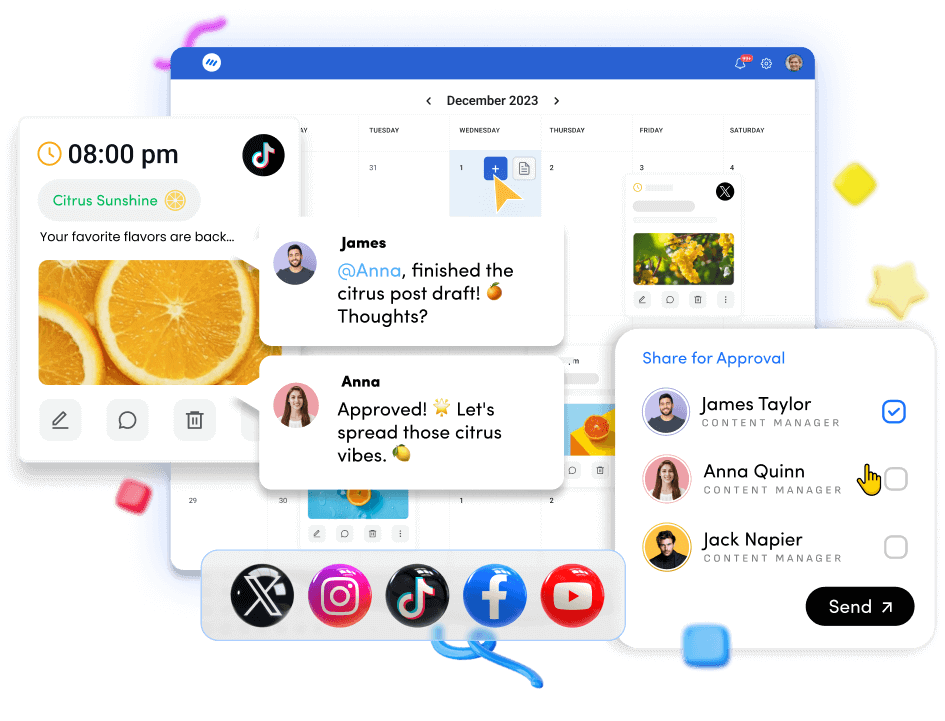
How does AI generally work?
Artificial intelligence (AI) processes large amounts of data, spots patterns, learns from examples, and makes predictions. Over time, it becomes better at choosing the most helpful. Understand natural language (what people type or say)
- Recognize objects, people, and scenes in images or video responses based on what it has already seen.
- Modern generative AI tools can create realistic text, images, music, and other media, elevating AI-powered content creation. They are trained on massive datasets, which help them:
- Predict what content, product, or action comes next
An AI art tool, for example, studies millions of images and learns visual patterns. When you ask it to generate an image, it uses this learned knowledge to create something that matches your prompt. A customer support chatbot works the same way with text: it studies past conversations and learns how support teams answer common questions, then uses that training to respond quickly when visitors ask about pricing, features, or policies.
For brands that care about customer experience, this progress means new ways to improve support, personalize interactions, and build loyalty.
What is AI customer experience?
AI customer experience is the use of artificial intelligence across the whole customer relationship, from first touch to renewal and beyond, to make every interaction faster, smarter, and more relevant.
Instead of just dropping a basic chatbot on your site, an AI customer experience platform analyzes behavior across channels, including websites, email, social media, and apps. It predicts what a customer is likely to need next, helps teams provide consistent, context-aware support, and automates routine work so humans can focus on complex issues.
A more advanced version of this is the “next best experience.” In this model, AI looks at context such as recent tickets, purchases, browsing history, and sentiment to decide what should happen next. Should we send a how-to guide instead of a promotion? Is this a high-value customer at risk of leaving? Is now the right time to suggest an upgrade?
Instead of generic campaigns, AI CX helps every message, recommendation, and support touchpoint align with the specific customer’s needs right now.
Core technologies behind AI customer experience

Several technologies work together to create effective AI customer experience systems, and understanding the 10 AI Customer Experience statistics behind these technologies can help you make informed decisions about implementation:
Machine learning (ML)
ML models find patterns in behavior, such as which customers are likely to convert, churn, or upgrade, and use those patterns to make predictions and recommendations.
Natural language processing (NLP)
NLP helps AI understand and generate human language. It powers many types of chatbots and virtual assistants, automatic classification of tickets by intent, such as billing, tech issues, or refunds, and sentiment detection in reviews, emails, or chat logs.
Predictive analytics
By combining historical data with ML, predictive models estimate outcomes such as churn risk, upsell likelihood, and estimated customer lifetime value. This lets you act before problems escalate.
Conversational AI and chatbots
These systems hold natural, back-and-forth conversations with customers via chat, messaging apps, or voice. They handle FAQs, collect data, and escalate to humans when needed.
Generative AI
Generative AI tools draft replies, summarize tickets, create help center articles from notes, and personalize messages using account history and context.
Robotic process automation (RPA)
RPA automates repetitive, rule-based tasks such as updating CRM fields or triggering follow-up emails so agents aren’t stuck doing manual admin work.
Together, these technologies and AI software development help you build an AI customer experience that feels responsive, personal, and consistent across touchpoints.
10 ways AI can improve customer service and CX

Here are 10 practical ways to use AI to upgrade your customer experience engagement without breaking the bank.
1. Auto email responding
Auto-responders already make customer care service feel more professional by confirming receipt of a message. With AI, these “we got your email” notes can be far more helpful.
Instead of a plain confirmation, an AI-powered auto-responder can acknowledge the request topic, share relevant help center or FAQ links, provide an estimated response time, and route or tag the request based on intent and urgency. This gives customers instant clarity and reduces anxiety while your team works on a full reply.
Example: Wondershare autoresponder
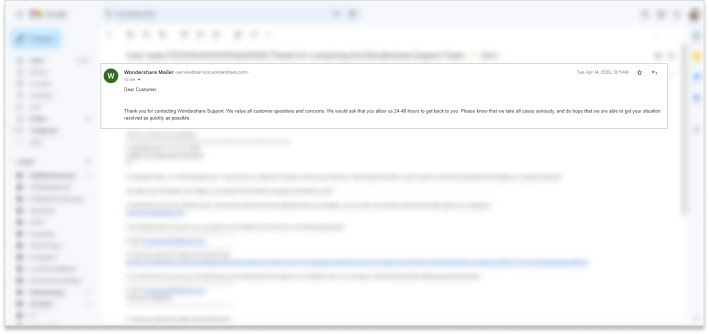
Wondershare sends an auto-responder when someone emails support. With AI, they could go further customizing the message by product, surfacing relevant tutorials, and suggesting next steps instead of a generic confirmation.
2. 24/7 chatbot assistance
AI chatbots are among the strongest building blocks of the AI customer experience. These AI-powered agents provide live chat support services around the clock, answering routine questions in seconds.
Instead of waiting for business hours, visitors can ask about pricing, features, or availability, get basic troubleshooting guidance, check order or shipping status, request a callback, or leave details for follow-up.
For many brands, a 24/7 chatbot is now a must-have part of customer experience. Plenty of SaaS companies and e-commerce stores already rely on AI chatbots to qualify and convert website visitors. Paired with a virtual call center, they let you blend automated assistance with human support when it matters most.
Example: ProductHunt Chatbot
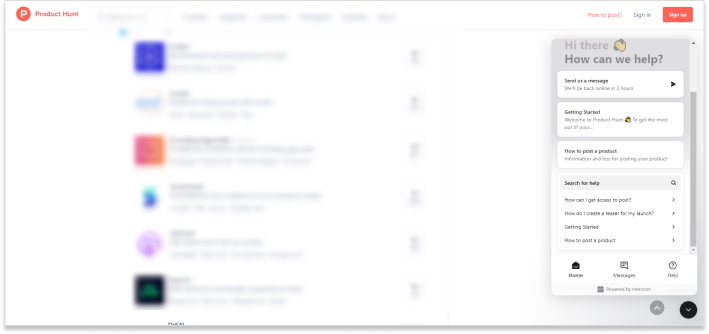
Product Hunt, a SaaS discovery platform for startups and software launches, uses a chatbot to guide visitors, answer FAQs, and point them to relevant content.
3. Personalized recommendations
AI-driven personalized recommendations are a cornerstone of modern AI customer experience in e-commerce, SaaS, and digital products. AI analyzes browsing history, past purchases, items viewed or added to cart, and behavior of similar users. Then it suggests products, services, or content that match the user’s interests. That means less time searching and more time discovering relevant items
Example: Amazon Product Recommendations
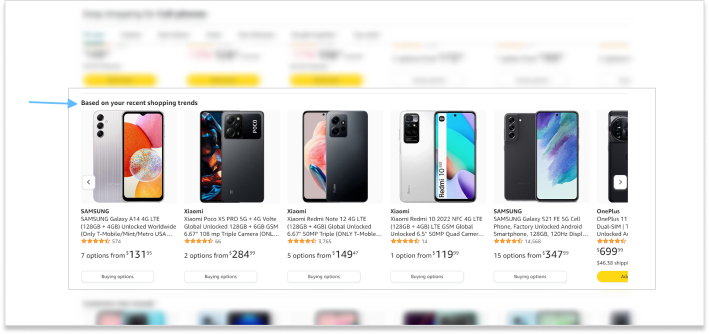
Amazon’s recommendation engine surfaces “frequently bought together,” “customers also bought,” and personalized homepage suggestions that feel relevant, boosting both sales and customer satisfaction.
4. Knowledge base article suggestions
A knowledge base is a library of help articles on your website. AI turns it into a smarter self-service assistant.
Instead of forcing users to guess the right search terms, AI can detect intent from what they type in chat or search, suggest the most relevant articles instantly, and surface updated or higher-performing content first.
This makes your help center a powerful part of the AI customer experience, reducing ticket volume while providing customers with quick answers.
Example: Canva Live Chat
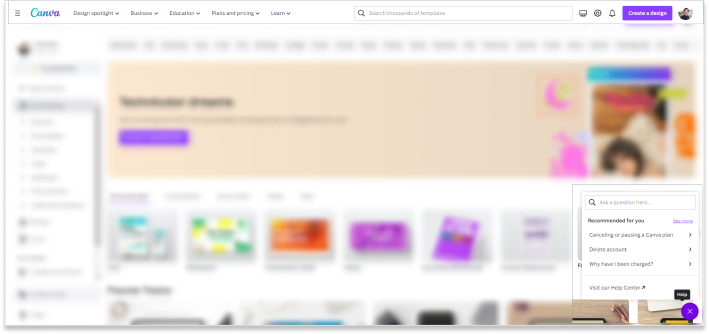
Canva’s live chat asks users what they’re trying to do, then steers them toward the right help content or support route. AI can refine these suggestions by learning which articles have previously resolved similar issues.
5. Transaction fraud detection
An underappreciated part of AI customer experience is safety. AI-powered fraud detection sits quietly in the background, protecting customers’ financial transactions.
Large e-commerce brands and online businesses use AI models to monitor credit card and digital wallet activity, flag suspicious or unusual patterns in real time, and trigger extra verification steps when needed.
When something looks suspicious, the system can alert your team or automatically block a transaction, reducing fraud losses and building trust.
Example: NayaPay Debit Card 3D Secure Payments
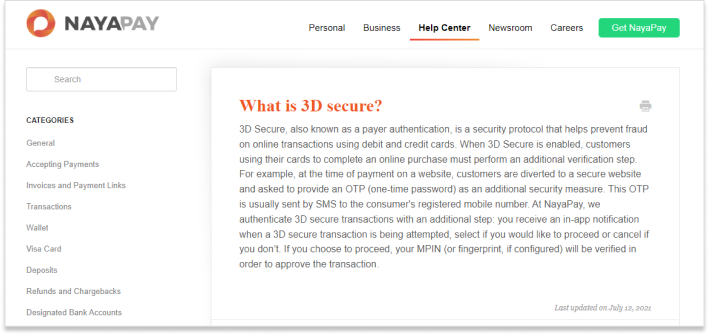
NayaPay, a financial services provider offering wallets, debit cards, and other payment tools, supports 3D Secure payments. Users confirm certain debit card transactions via in-app notifications, which improves security without adding too much friction.
6. Automated social media messaging
Social media is one of the busiest arenas for AI customer experience. AI tools are reshaping how brands and creators handle conversations and content across networks.
Companies, social media influencers, and marketing teams use AI to respond more quickly to DMs and comments, detect priority messages such as complaints, sales inquiries, and VIP interactions, create content in bulk, and schedule posts for maximum reach.
Example: ContentStudio
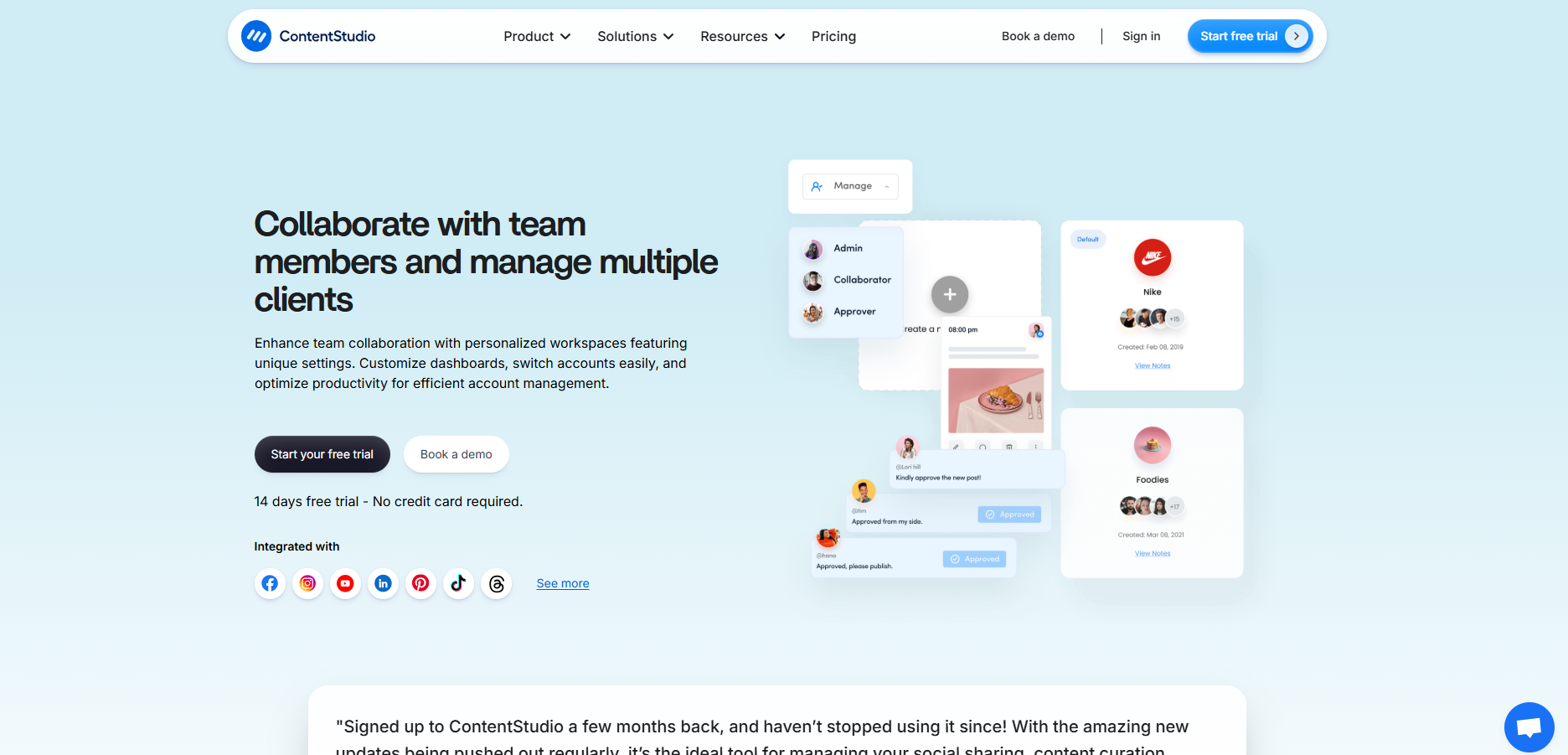
ContentStudio is an AI-powered content creation and social media management platform that lets you manage, publish, schedule, and analyze content across major networks. With AI features such as caption suggestions, content ideas, and smarter scheduling, it becomes even more effective for teams focused on customer experience engagement.
You can try it with a 14-day free trial.
7. Fingerprint recognition
Fingerprint recognition is standard in smartphones, ATMs, and biometric systems. While it might seem like a pure security feature, it also shapes AI customer experience by making secure access faster and less painful.
AI-powered fingerprint systems use your fingerprint as a biometric key, let you unlock devices or apps instantly, and reduce reliance on passwords, which users often forget.
Example: Smartphone’s fingerprint

For customers, this means faster access, fewer login issues, and a stronger sense that their data is protected.
8. Web accessibility support
Web accessibility standards help websites stay usable for people with disabilities. AI now plays a big role in making sites more inclusive. AI-assisted accessibility tools can adjust text size, contrast, and colors, read text aloud, describe images for screen readers, and help site owners spot and fix accessibility issues.
Example: HubSpot Blog
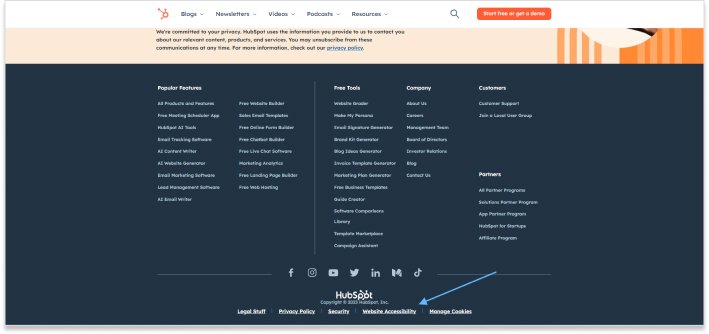
HubSpot acknowledges web accessibility requirements and adheres to publishing standards, ensuring its content is available to the widest possible audience. AI tools make it easier to keep up with these standards at scale, and inclusive design is a powerful part of the AI customer experience.
9. Email segmentation
Email segmentation divides your list into meaningful groups so you can send more relevant messages. Many email tools now use AI to make this process smarter and less manual.
AI can help group subscribers based on behavior, interests, or purchase history. It identifies inactive segments for re-engagement and suggests content or offers tailored to each segment.
That leads to better open rates, higher conversions, and a more personalized AI customer experience.
Example: Authority Hacker

Authority Hacker regularly runs surveys to understand the state of SEO. In addition to content research, these surveys help them segment their audience for better targeting in future campaigns.
10. Real-time language translation
Global brands can’t rely on a single language anymore. Real-time translation is now a powerful part of the AI customer experience, especially in chat and messaging.
Using AI and translation management platforms (TMS), businesses can automatically translate chats in both directions, localize help center content, and make social posts easier to understand worldwide.
Whether you’re reading social media content on your couch or ordering a coffee at an airport, real-time translation removes friction and opens doors.
Example: Crisp
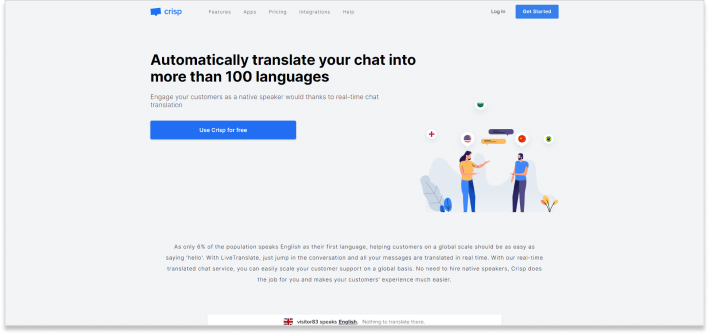
Crisp is a virtual assistant and AI chat tool for websites and SaaS products. Among its features is real-time translation in over 100 languages, which helps support global customers without hiring dozens of language specialists.
Key benefits of AI in customer service and CX

If you’re still unsure about adding AI to your support stack, it helps to step back and look at how AI customer experience improves results across the board.
Prompt action on customer queries
One of the biggest benefits of AI in customer service is speed. AI-powered chatbots, auto-responders, and routing systems can reply in seconds, even when your team is offline.
Fast responses reassure customers that they’re being heard, prevent frustration from building up, and give you a better chance of turning visitors into paying customers. When people feel acknowledged quickly, they’re more likely to stay engaged and trust your business.
AI-based tools, along with a modern business phone system, offer near-instant responses and more efficient workflows. Multichannel platforms like Crisp and Help Scout help teams communicate with customers across chat, email, and social media, so conversations keep moving rather than stalling.
Here’s an example:

AffiliateBooster, a WordPress plugin for affiliate marketers, uses a chat widget to respond to visitors quickly, which builds trust and encourages users to try or buy the plugin.
Less human resource utilization
Another advantage of AI in customer experience is that it reduces the need for repetitive work. With AI handling FAQs, simple troubleshooting, routing, and ticket tagging, as well as basic account questions, you can keep teams lean or reassign agents to higher-touch interactions like onboarding, upselling, or VIP support.
Many companies now use AI voice agents and virtual assistants to guide prospects and customers through simple processes without tying up live agents.
Take a look at this example:
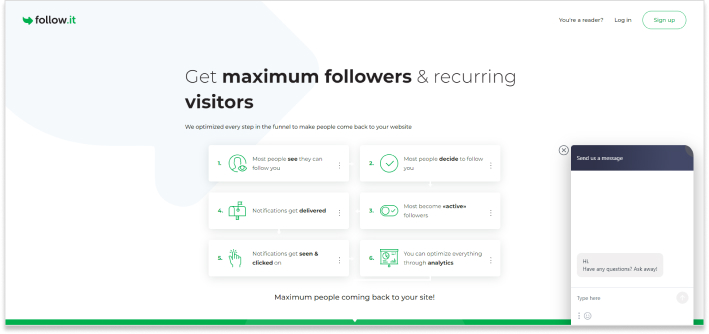
Follow.It is a powerful tool to create push notifications for website owners. They are using an AI-powered chat tool to engage website visitors and drive conversions.
No more waiting queues
Long queues are one of the biggest pain points in traditional customer service. With AI handling many simultaneous conversations, fewer customers are left on hold. AI chatbots and virtual assistants can handle spikes in volume during launches or campaigns, answer common questions while customers wait for an agent, and offer self-service options that don’t require a live conversation.
Here’s an example: Sprinklr
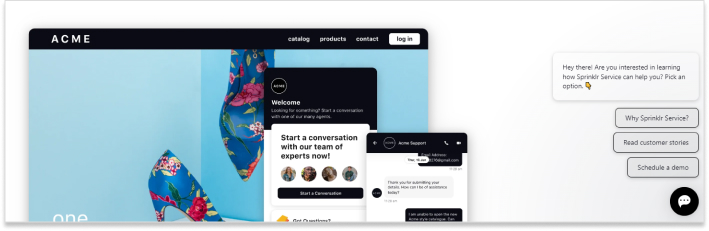
Sprinklr uses AI-powered support to let customers self-serve, check documentation, or reach the right agent faster, reducing perceived wait times and boosting satisfaction.
Generate more leads
Your AI customer experience setup can also act as a lead-generation engine. Many chat platforms and bots are designed to ask qualifying questions, capture email addresses and phone numbers, and tag leads by interest level or segment. For marketing and sales teams, this turns support tools into top-of-funnel assets.
Example: Intercom
Examples of AI in customer service
Companies are using different types of AI-powered chatbots, messengers, and live chat tools to help and engage website visitors. Let’s take a look at some of the examples of companies that are cashing in on chat boxes:
i. Lowfruits
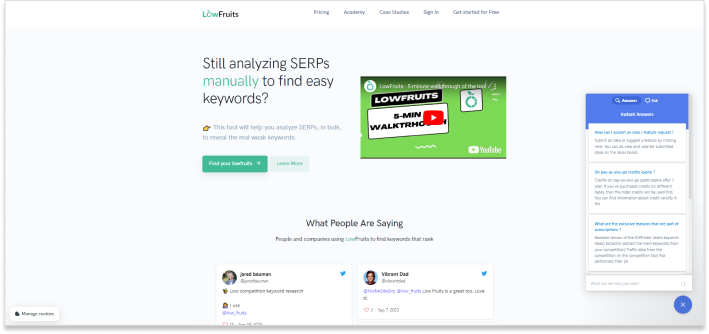
Lowfruits is a keyword research tool that helps site owners uncover low-competition keywords. Its website chatbox answers FAQs and lets visitors send direct messages to the team, reducing friction for trial users and prospects
ii. Usermaven
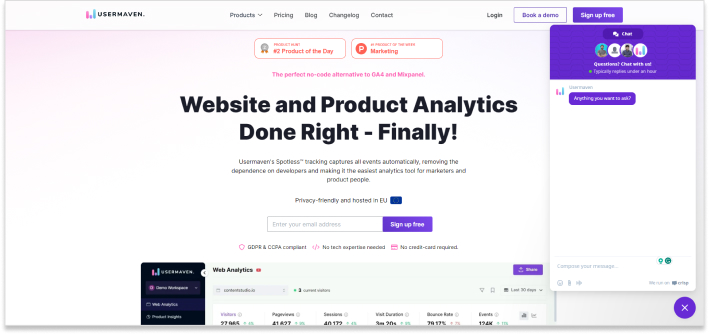
Usermaven is a website analytics tool for product and marketing teams. With a live chat widget on its site, Usermaven can quickly clarify features, pricing, and use cases, helping visitors decide whether the platform is right for them.
iii. Lasso
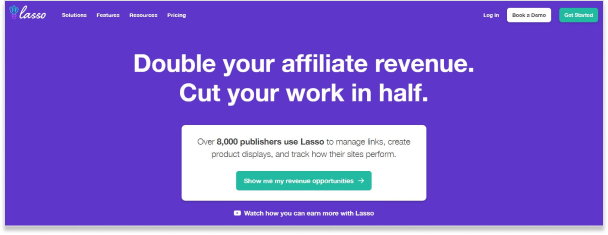
Lasso is an affiliate marketing tool for creating product boxes and comparison tables on blogs. Its AI chatbox can surface help center documentation and route visitors to human support when a question falls outside the standard FAQs.
Challenges of AI in customer service and CX

Every technology comes with trade-offs. AI customer experience is powerful, but businesses need to be aware of the risks and limitations.
Limited human touch
One common concern is the loss of the “human factor.” AI responds based on training data and rules; it doesn’t genuinely feel empathy.
While AI can say “sorry,” a human agent can read between the lines, adjust tone based on subtle cues, and offer more flexible options in tricky situations. These nuanced capabilities allow human agents to navigate complex emotional contexts that AI systems may struggle to interpret accurately.
If you rely entirely on bots, some customers may feel dismissed or frustrated, especially when dealing with sensitive issues. The best approach is to use AI as a first line of support while making it easy to reach a human when needed.
Hard-to-use experiences for some customers
Not everyone is comfortable with AI tools. When chatbots first went mainstream, many users still hunted for a way to talk to a human.
Older customers, or those with lower digital literacy, may struggle to phrase questions in a way a bot can understand, or may distrust automated responses. To keep AI customer experience accessible, clearly label when users are talking to a bot, provide an obvious “talk to a human” option, and offer phone or email alternatives when appropriate.
Difficulty conveying complex issues
Some problems are too nuanced for a bot. Customers might have trouble describing the issue, or the situation may involve multiple layers (billing, product bug, account access) that AI can’t fully grasp.
While human reps can ask follow-up questions and interpret vague descriptions, AI might misclassify the request, give generic or partial answers, or repeat the same suggestion without understanding the underlying problem.
In these cases, forcing users to stay with the bot can damage trust. Well-designed AI CX flows teach bots to recognize when they are stuck and to escalate gracefully to human support with a clear summary of what has already been discussed.
Privacy, ethics, and trust
Customers are rightly concerned about how their data is collected and used, especially when AI is involved. Without transparency, people may worry that bots are making decisions without oversight, personal data is being shared with third parties, or AI is being used in ways that feel intrusive or unfair.
To build trust in your AI customer experience, clearly state when AI is being used and share what data is collected and why. Provide users with options to opt out where possible, and review AI behavior regularly for bias and unintended outcomes. These practices demonstrate respect for customer privacy while maintaining the benefits of AI-powered service.
How to get started with AI customer experience
You don’t need to rebuild your entire tech stack to benefit from AI. Start small, prove value, and expand.
Here’s a simple roadmap:
- Map your current customer experience
List key touchpoints: website, support inbox, live chat, social DMs, checkout, onboarding, renewals. Note pain points such as slow replies, repeated questions, or high churn. - Pick one high-impact use case
Good starter projects include:- A website chatbot for FAQs
- AI-powered knowledge base suggestions
- Automated email replies for support tickets
- Connect AI to your existing tools
Use AI features on platforms you already rely on, such as your help desk, CRM, or social media management tool like ContentStudio. This keeps costs low and setup simple. - Train with real conversations
Feed your bot or AI assistant with real support tickets, chat logs, and help center content. The closer it is to your actual language and scenarios, the better your AI customer experience will feel. - Set guardrails and escalation paths
Define when the bot should say, “I’m going to connect you with a human.” Make it easy to switch to email, phone, or live chat. - Measure and refine
Track metrics like:- First response time
- Resolution time
- Bot deflection rate (tickets resolved without an agent)
- CSAT or NPS
- Use this data to refine flows, update answers, and expand AI into new areas.
Conclsuion
AI is reshaping how brands deliver customer service and design customer experience engagement. From smart chatbots and knowledge bases to fraud detection, translation, and biometrics, AI now touches almost every part of how customers interact with your business.
The key is to use AI where it truly helps. Set up chatbots to handle simple questions and qualify leads. Add AI suggestions to your knowledge base so customers can help themselves. Use AI insights to support, not replace, your team.
If you ignore AI customer experience, your competitors won’t. They’ll respond faster, personalize better, and support more customers with the same or smaller teams.
Start with one or two use cases, learn from real data, and expand carefully. The brands that win will combine AI’s speed and scale with genuine human empathy.
FAQs
How will AI affect customer service?
AI will improve service quality and consistency by handling routine questions, helping agents respond faster with better context, and expanding self-service options. While some staff may worry about job security, humans remain essential for complex conversations, strategic thinking, and relationship-building. Those who adapt to working with AI will be highly valued.
Will AI replace customer service?
While it might seem like AI will eventually replace human customer service, complete replacement is unlikely.
AI excels at answering predictable questions, managing high volumes of simple requests, and providing 24/7 availability. However, humans remain crucial for sensitive issues, complex problem-solving, and negotiations.
The reality: AI will replace tasks, not entire roles. The best teams will combine AI efficiency with human empathy.
Is AI customer experience only for large enterprises?
No. AI features are now integrated into tools that small and mid-sized businesses already use, including help desks, live chat platforms, social media management tools like ContentStudio, and CRM systems. You can begin with basic features like suggested replies, FAQ chatbots, or smart routing without significant investment.
What metrics should I track to measure AI customer experience?
Track response time, resolution time, deflection rate (issues resolved by AI without human help), customer satisfaction scores, and churn rates. Combine these metrics with qualitative feedback from customers and agents to identify where AI is most effective and where improvements are needed.
How do I get my team comfortable with AI tools?
Position AI as a productivity tool, not a replacement. Provide hands-on training showing how AI handles tedious tasks, allowing focus on meaningful work. Encourage questions and experimentation in a safe environment. Share success stories from early adopters to build confidence. When teams view AI as a helpful assistant, adoption happens naturally.